
• Address : -512/fonia,canada
  • Call us : +61 5001444-122
  • Email : dummy@example.com
logo
  • Home 
  • STSM Overview 
  • STSM FAQ 
  • Contact us
logo

STSM System

×
  • Home
  • STSM Overview
  • STSM FAQ
  • Contact us

Whats Is STSM?

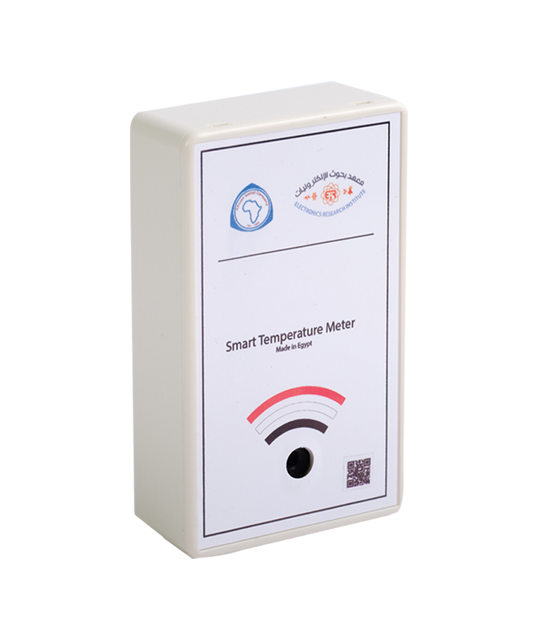
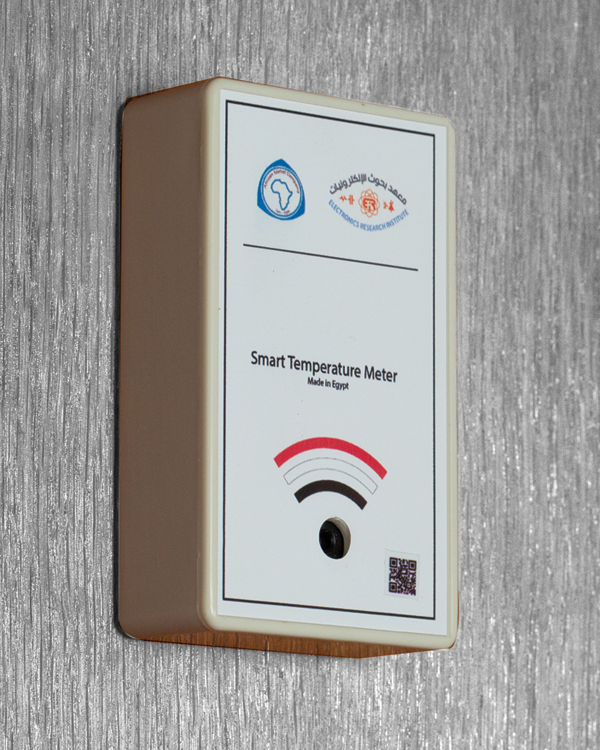
Smart meter to detect and manage institutional employees, employees, patrons and customers’’ temperature. Realtime mobile application to store and manage historical target group interactions

img

Temperature Sensor

Non-contact body temperature screening using Infrared sensing technology.

img

RFID Detection

Read and identify employees/customers RFID and retain their health history.

img

Centralized System

Data are transmitted to a centralized system for monitoring, analysis and reporting purposes.
img

Smart Temperature Security Meter (STSM)

title

Overview

Smart meter to detect and manage institutional employees, employees, patrons and customers’’ temperature. Realtime mobile application to store and manage historical target group interactions.

  • Non-contact body temperature screening using Infrared sensing technology
  • Temperature detection range: 35℃ to 42℃
  • Warning alarms when reading an abnormal temperature
  • Can be used with 8 to 55-inch display screens
  • Waterproof and dust-proof design
  • Can support up to 20 readings per minute
  • Identify and retain employee health history

STSM System FAQ

title

- What is Smart Temperature Meter Application (STMA)

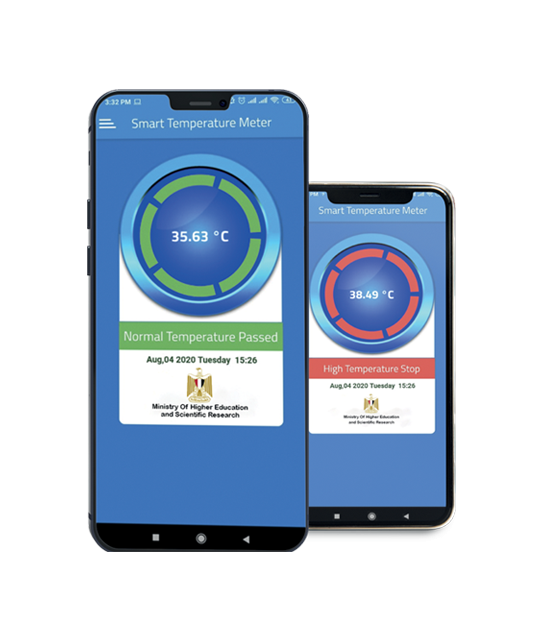
STMA is the application that connects with the Smart Temperature Meter (STSM), in order to provide accurate statistics and reading results that can be viewed on your device. With a beautiful design and great precision, the Meter is an up-to-standard tool that can be utilized in companies and organizations. This body temperature screening can be used at airports, corporates, universities, schools, hotels, and hospitals.

- Whare are data stored

Data are transmitted to the corporate or institution management database for monitoring, analysis and reporting purposes.

- How to connect the STSM with the STMA app

1- Turn on the Meter by attaching it to any powered Micro-USB connector.
2- Connect to the WI-FI on your device.
3- Search for the smart meter name (STSM) on the WIFI list “
4- you will find device name and password printed on the back of the SIRM”.
5- Once you are connected to the WI-FI, open the app.
6- Make sure to wait three seconds between each temperature detection to get the most accurate result.

story_img
story_img

Contact us for more information

line

For more information and quotations, Please Fill the Form

img

+1 800 383 88 90

It is our pleasure to hear from you, don't hesitate to contact us.

  • Call Now
story_img
story_img
story_img
story_img
story_img
story_img
Copyright © 2020- all rights reserved